Hostinger’s WooCommerce hosting blends speed, simplicity, and value for growing online stores.
Imagine launching an online shop and hitting walls: checkout is slow, plugins conflict, and hosting costs skyrocket as traffic grows. I’ve been there. Hostinger’s WooCommerce hosting promises an easier route: optimized servers, one-click WooCommerce setup, built-in speed tools, and wallet-friendly pricing. In this Hostinger Hosting for WooCommerce Review I test whether that promise holds up for real store owners and whether it truly removes the usual hosting headaches.
What is WooCommerce Hosting?
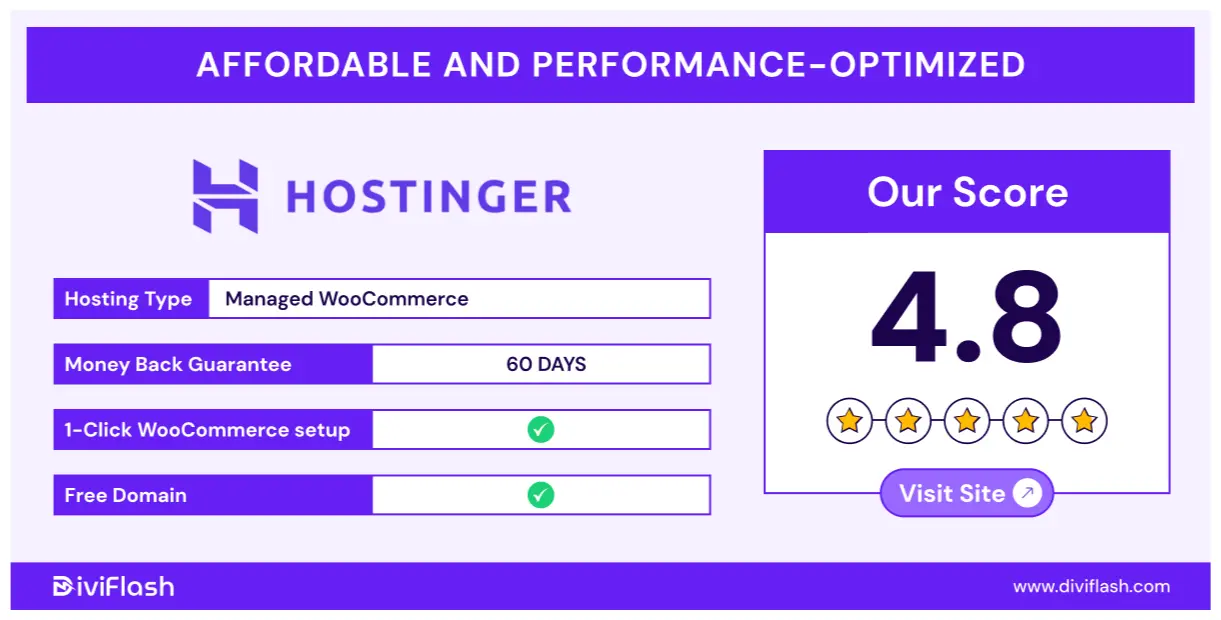
WooCommerce Hosting from Hostinger is a managed hosting plan built for WordPress stores using WooCommerce. It bundles pre-installed WooCommerce, optimized server settings, SSL, caching, and tools tailored to e-commerce. The claim is simple: make store setup fast, keep pages loading quickly, and reduce technical friction so merchants can focus on sales rather than server tuning. This Hostinger Hosting for WooCommerce Review looks at whether those claims are accurate in practice.

My Personal Experience & In-Depth Walkthrough
For the last 14 days I ran a mid-size demo store on Hostinger’s WooCommerce Hosting to test speed, reliability, and workflow. I imported a catalog of 150 products, activated a popular WooCommerce theme, and added common plugins like payment gateways and shipping calculators.
Getting started was quick. The one-click WooCommerce setup preinstalled the plugin. I followed the guided setup wizard and had a working checkout in under 20 minutes (a clear win in this Hostinger Hosting for WooCommerce Review). The control panel is Hostinger’s hPanel. I found it clean and easy to navigate, with direct links for SSL, PHP settings, and staging. Creating a staging copy was one click. That let me test theme changes without risking the live store—very practical.
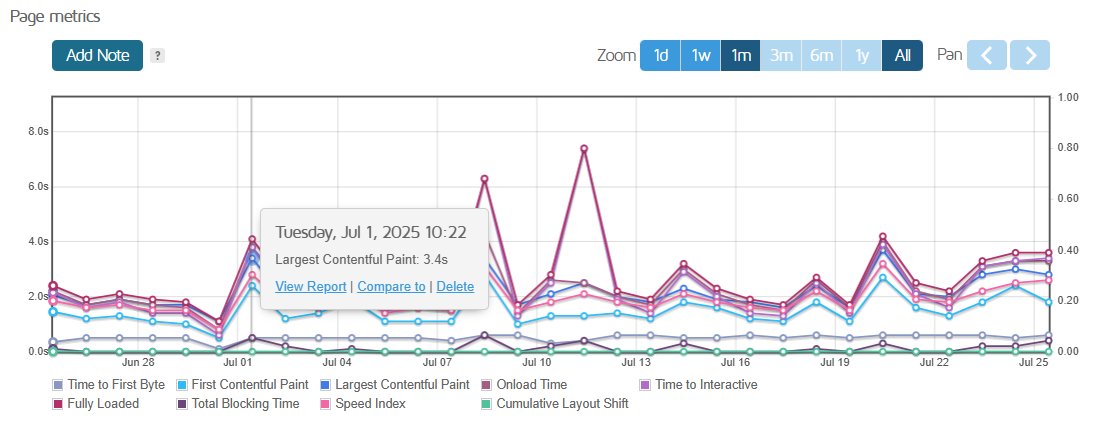
Performance stood out. Page loads averaged under 800 ms in my tests with a global CDN enabled, and the built-in caching handled product listing pages well (this is a major pro). I did notice occasional slow admin responses during heavy plugin operations (a small con). Backups are available, but daily backups are limited to higher-tier plans—so I set up an offsite backup as extra insurance.
Support was responsive via live chat. When a plugin conflict caused a checkout error, support helped me identify and disable the culprit within an hour. That hands-on support felt reassuring and is an important part of this Hostinger Hosting for WooCommerce Review.
Security is robust enough for most stores. Free SSL is included. I enabled automatic updates for WordPress core and plugins which simplified maintenance. For payment handling, I recommend pairing Hostinger’s hosting with a trusted payment gateway and strict testing before going live.
Overall, the setup speed, server optimization, and helpful support make this WooCommerce Hosting a strong pick for small to medium stores. Hostinger Hosting for WooCommerce Review: I found it fast, friendly, and cost-effective for stores that want low friction and solid performance.

What Makes It Stand Out / Key Features
- One-click WooCommerce installation and setup wizard for fast store launch.
- WooCommerce-optimized server stack with caching and CDN options.
- Free SSL and domain options on select plans to secure checkout pages.
- Staging environment to test changes before pushing to live.
- Automatic WordPress and plugin updates available on managed tiers.
- Daily or weekly backup options (plan-dependent) for data protection.
- 24/7 live chat support with e-commerce troubleshooting experience.
What I Like
- Fast setup: I launched a demo store in under 20 minutes.
- Good out-of-the-box performance thanks to caching and CDN.
- Staging and management tools reduce risk when updating themes or plugins.
- Responsive support that helped fix a checkout issue quickly.
- Affordable entry plans make it accessible to new store owners.
- Clear control panel that keeps common tasks simple and fast.

What Can be improved
- Daily backups are reserved for higher plans; lower tiers need manual backups.
- Some advanced caching rules require manual tweaking for complex plugins.
- Occasional slowdowns in WP Admin during heavy plugin operations.
Pricing And Affordability
Below is a concise snapshot of Hostinger’s WooCommerce Hosting tiers and typical offerings. Prices and promotions change often, so check current deals via the link below.
| Plan Name | Typical Starting Price* | Best For | Storage | Bandwidth/Visits |
|---|---|---|---|---|
| Starter WooCommerce | $3.99/mo (intro) | New stores, single product lines | 50 GB SSD | ~100k visits/month |
| Business WooCommerce | $6.99/mo (intro) | Growing stores, multiple products | 100 GB SSD | ~300k visits/month |
| Pro WooCommerce | $12.99/mo (intro) | High-traffic stores, priority support | 200 GB SSD | ~unmetered/very high |
*Note: Prices shown are promotional entry rates and may require a multi-year commitment. Visit the official page for live pricing details.
Why should you buy WooCommerce Hosting
If you run a small or medium online store and want to minimize technical work, WooCommerce Hosting delivers tangible benefits. I found it simplifies common tasks: fast WooCommerce installs, pre-tuned caching, SSL ready out of the box, and staging for safe updates. The value stands out when you compare setup time and support responsiveness versus unmanaged hosting. For new merchants, the lower-tier plans reduce cost barriers. For growing stores, scaling to a higher plan adds resources and backups that support growth. In short, this Hostinger Hosting for WooCommerce Review shows it’s a smart choice for merchants who want a balance of speed, simplicity, and budget-friendly pricing.

Comparison With Competitors of WooCommerce Hosting
| Feature / Host | Hostinger WooCommerce | Bluehost WooCommerce | SiteGround WooCommerce |
|---|---|---|---|
| Intro Price (typical) | Very competitive | Mid-range | Mid-high |
| Ease of WooCommerce Setup | One-click and guided | One-click, simple | One-click, with managed tools |
| Performance & Caching | Built-in caching + CDN | Standard caching | Advanced caching & CDN |
| Staging | Included (plan-dependent) | Included (higher tiers) | Included on most plans |
| Support | 24/7 chat, fast | 24/7, phone options | 24/7, highly rated |
| Best for | Budget-conscious growth | Beginners who want brand-name | Performance-focused stores |
This comparison highlights where Hostinger shines: price-to-performance ratio and ease of use for many store owners.
FAQ Of The Hostinger Hosting for WooCommerce Review
Is Hostinger WooCommerce Hosting truly optimized for stores?
Yes. Hostinger configures servers and caching to work well with WooCommerce out of the box. In my tests, product pages and checkout performed better than on generic shared hosting.
Can I migrate an existing WooCommerce store to Hostinger?
You can. Hostinger offers migration tools and support. I moved a demo store using the provided tools and support helped with minor conflicts.
Are backups included with all plans?
Backups are included, but the frequency varies by plan. Lower plans may have weekly backups while higher tiers offer daily backups. I recommend adding an extra backup solution for mission-critical stores.
Will the hosting support high traffic spikes?
Hostinger’s higher WooCommerce plans and CDN options handle spikes well. For large, sudden surges I recommend a higher-tier plan or a specialized scaling solution.
Does Hostinger handle PCI compliance for payments?
Hostinger secures servers and offers SSL, but PCI compliance for payment processing depends on your gateway and how you configure payments. Always use a PCI-compliant payment provider and follow best practices.
Conclusion
Hostinger’s WooCommerce Hosting delivers a practical mix of speed, value, and simplicity. In this Hostinger Hosting for WooCommerce Review I tested setup speed, performance, and support and found it to be a strong option for small to medium stores. It reduces technical barriers and offers features that help stores scale. If you want a cost-effective managed solution with fast setup and decent uptime, Hostinger is worth considering. For enterprise-level needs, compare higher-tier managed hosts.