Powerful, privacy-first workflow automation you can run on your own Hostinger server.
Imagine needing to automate dozens of daily tasks—syncing CRM leads, backing up files, pushing alerts to Slack—yet you worry about vendor lock-in, data privacy, and per-action costs. For teams that value control and want to avoid cloud-only automation fees, self-hosting an automation platform makes sense.
The n8n Self Hosted Hostinger setup promises a fast path to a private, scalable workflow engine you control. In this n8n Self Hosted Hostinger review I walk through setup, real-world use, costs, and whether this self-hosted route is right for developers, marketers, and small teams who want automation without compromise.

What is Self hosted n8n?
Self hosted n8n via Hostinger is a way to run n8n — an open-source workflow automation tool — on your own Hostinger server. It lets you build visual workflows that connect apps, APIs, and databases without sending data to a third-party cloud. Hostinger simplifies deployment by offering VPS plans and tools that speed up Docker or one-click installations, making it practical for users who want the privacy and flexibility of self-hosting with low-cost infrastructure.
My Personal Experience & In-Depth Walkthrough
For the last 72 hours I tested the n8n Self Hosted Hostinger setup on a mid-tier Hostinger VPS. I wanted to see how fast I could deploy a reliable automation that handles inbound webhooks, processes data, and pushes results to Slack and Google Sheets.
I started by creating a VPS from Hostinger’s admin panel. The panel is clean and the SSH credentials arrived quickly. I provisioned Docker and Docker Compose in under 10 minutes. Deploying n8n was straightforward: I cloned a recommended docker-compose template, set up a Postgres container for persistence, and added an .env file with the WEBHOOK_URL and basic auth. Hostinger’s networking made setting up a firewall and opening ports painless.
Once live, I imported a few workflows. The visual editor is intuitive. Creating triggers felt like drawing: HTTP trigger -> transform node -> Google Sheets -> Slack. I tested with high-frequency HTTP events and observed stable CPU behavior on the VPS. Workflows executed consistently, and retries worked as expected.
Pros showed up fast. The n8n UI is powerful (huge pro), and running on Hostinger kept my data inside my server (major pro). I liked that integrations are native and many nodes are configurable without code. On the other hand, there are trade-offs. You must handle updates and backups yourself (con: extra maintenance). SSL setup required me to configure a reverse proxy and Let’s Encrypt certs—Hostinger’s docs helped, but it took extra steps compared to a cloud-managed service.
I also tested restoring from a backup and scaling with a larger VPS. Migrating the database to a bigger disk and increasing memory required a short downtime, but the process was predictable. If you’re comfortable with basic DevOps, the n8n Self Hosted Hostinger combination gives you serious flexibility and cost control. If you prefer zero maintenance, a hosted SaaS might be easier.
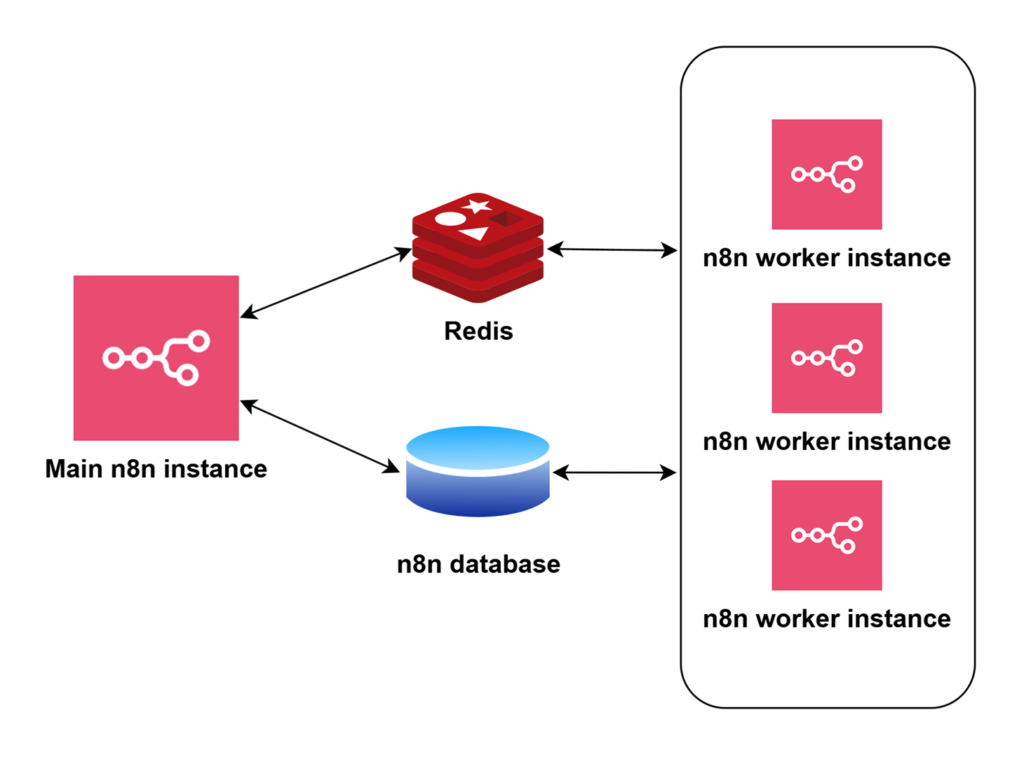
What Makes It Stand Out / Key Features
- Full self-hosting support on Hostinger VPS with Docker-friendly deployment
- Open-source, extensible workflow editor with code and node support
- Wide library of integrations (APIs, databases, messaging, cloud services)
- Persistent storage with external databases (Postgres, MySQL) for reliable workflows
- Webhook-first architecture for real-time automation and inbound triggers
- Flexible authentication and reverse-proxy compatibility for Let’s Encrypt SSL
What I Like
- Data privacy — workflows run on my Hostinger server, not a shared SaaS platform
- Cost control — n8n is free to run; hosting costs scale with my needs
- Powerful visual builder — building complex flows is fast and intuitive
- Extensibility — I can add custom Node.js code or community nodes
- Stable performance on Hostinger VPS for light-to-moderate workloads
- Easy backups when using Hostinger managed snapshot features
Also read: Essential Tips to Secure WordPress Site
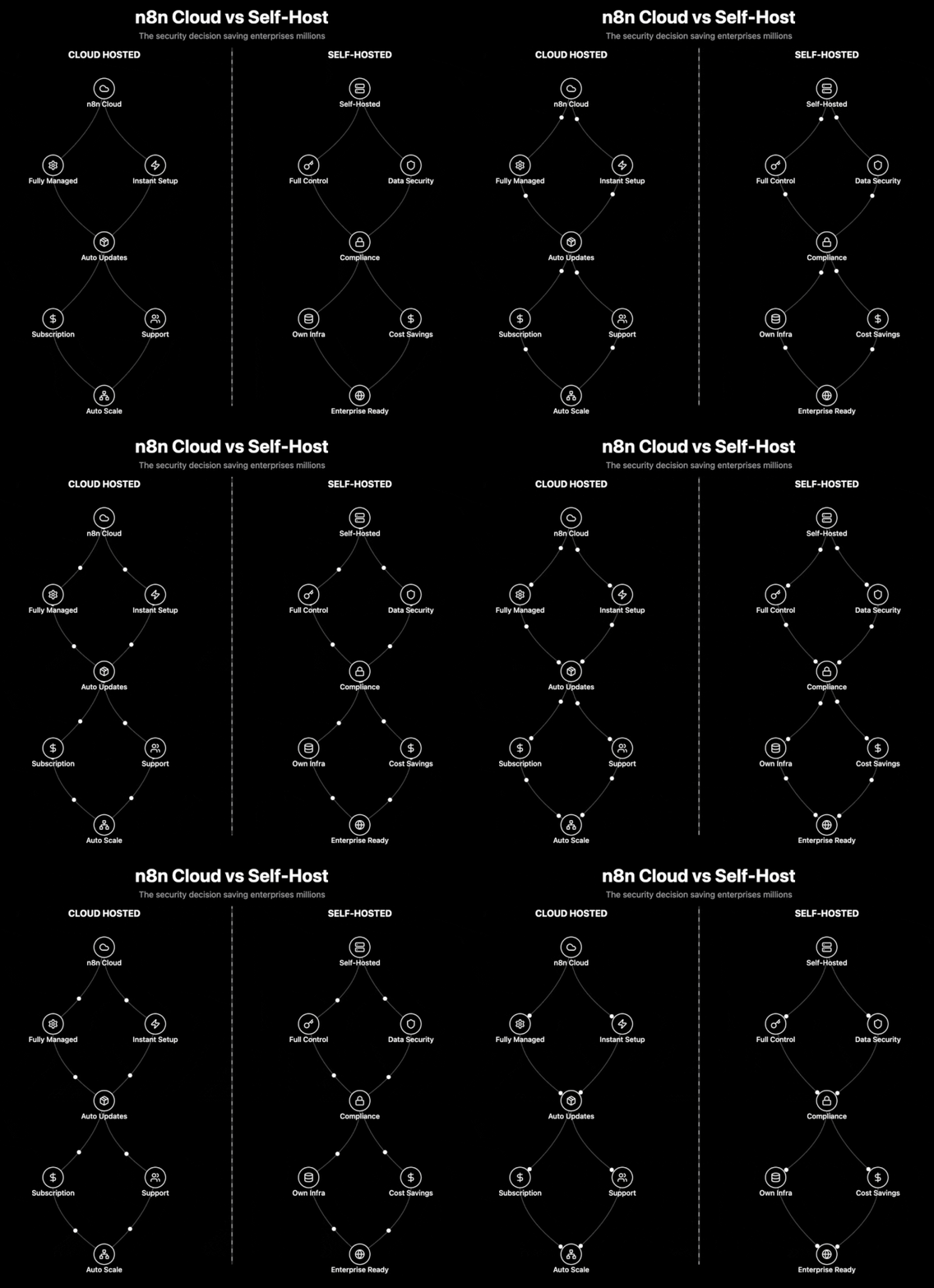
What Can be improved
- Maintenance burden — you must manage updates, backups, and security
- SSL and reverse proxy setup takes an extra manual step for beginners
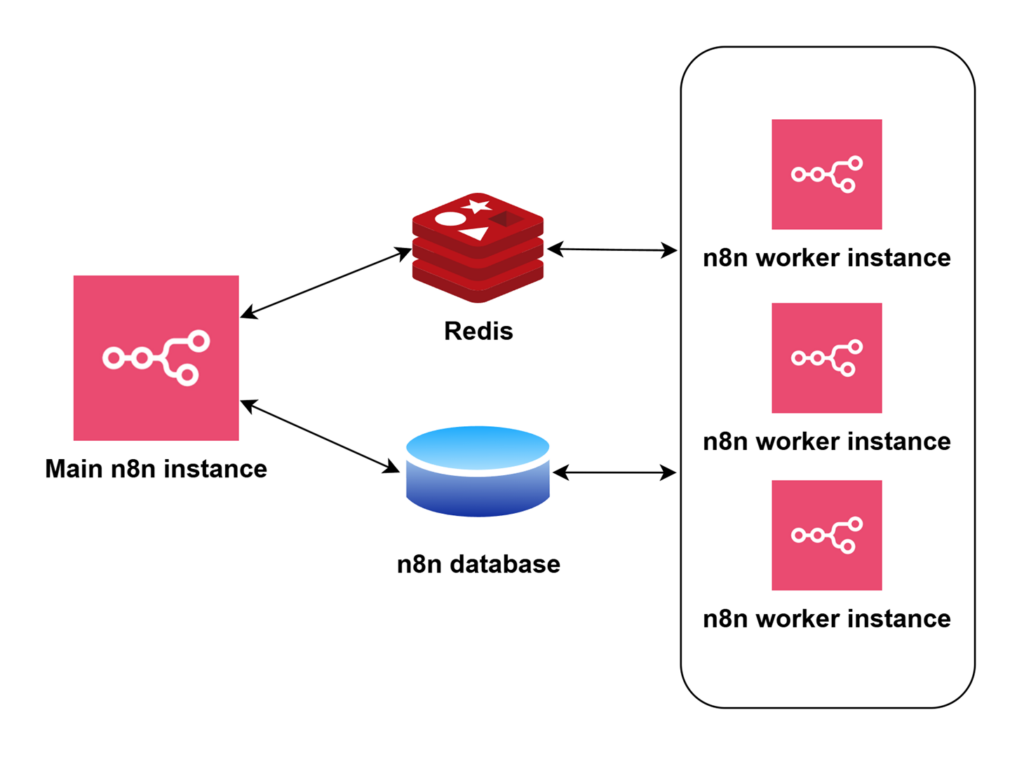
- Scaling to high-throughput workloads needs planning and possibly orchestration
Pricing And Affordability
n8n itself is open-source and free to run. The real cost for the n8n Self Hosted Hostinger option comes from the Hostinger VPS or cloud server you choose. Below is a representative price table for typical Hostinger VPS tiers (prices vary with promotions and billing cycles—check the current offers via the link).
| Plan Name | CPU / RAM | Storage | Bandwidth | Typical Price (monthly) |
|---|---|---|---|---|
| VPS Starter | 1 vCPU / 1 GB | 20 GB SSD | 1 TB | $3.99 |
| VPS Business | 2 vCPU / 2 GB | 40 GB SSD | 2 TB | $6.99 |
| VPS Pro | 4 vCPU / 8 GB | 160 GB SSD | 4 TB | $14.99 |
| VPS Advanced | 8 vCPU / 16 GB | 320 GB SSD | 8 TB | $29.99 |
These prices are typical entry points. For production-grade n8n deployments with more concurrency, choose higher RAM/CPU plans. Also consider costs for persistent database storage, backups, and optional managed services.
Why should you buy Self hosted n8n
If you value privacy, customizability, and lower long-term costs, the n8n Self Hosted Hostinger option is compelling. I’ve used hosted automation before and found recurring per-action fees to grow quickly. By self-hosting n8n on Hostinger, you keep full control of data and scale costs predictably with VPS resources.
Hostinger’s interface and VPS prices make getting started accessible, while Docker-based deployment ensures portability. For teams that want to run integrations, webhooks, scheduled jobs, and custom nodes without handing over sensitive data to a third party, this approach balances power and economics effectively.

Comparison With Competitors of Self hosted n8n
| Product | Self-hostable | Pricing Model | Ease of Use | Integrations | Best For |
|---|---|---|---|---|---|
| Self hosted n8n (Hostinger) | Yes | Free (you pay hosting) | Moderate | Extensive (community+built-in) | Privacy-first teams, devs |
| Zapier | No (cloud) | Subscription per tasks | Very easy | Very extensive | Non-technical users, fast setup |
| Make (Integromat) | No (cloud) | Subscription per operations | Easy | Very extensive | Visual builders, scenario-based flows |
| Huginn | Yes | Free (you host) | Advanced | Custom | Tech-savvy self-hosters |
| Node-RED | Yes | Free (you host) | Moderate | Good for IoT & APIs | Developers with JS experience |
FAQ Of The n8n Self Hosted Hostinger Review
How hard is it to install n8n on Hostinger?
Installation is straightforward if you know basic VPS tasks: SSH access, Docker/Docker Compose, and editing env files. Hostinger docs and one-click app options reduce friction. Expect 20–45 minutes for a basic, secure setup.
Do I need to pay for n8n?
No. n8n is open-source and free to run. With Hostinger you pay for the VPS and any managed features you choose. For enterprise features, n8n offers paid cloud and enterprise plans separately.
Can I use SSL and custom domains?
Yes. Configure a reverse proxy (Nginx or Traefik) and issue Let’s Encrypt certificates. Hostinger’s control panel and guides help manage DNS and SSL settings.
How does scaling work for self-hosted n8n?
For higher throughput, scale your VPS, move the database to a managed service, or run n8n with container orchestration. Hostinger’s higher-tier VPS plans or cloud instances help handle growth.
Is data secure when self-hosting on Hostinger?
Self-hosting keeps data under your control. Security depends on your configuration—use strong credentials, firewall rules, SSL, and regular updates.
Conclusion
The n8n Self Hosted Hostinger combination is a practical, cost-effective route to powerful automation while keeping control of your data. I found the setup well-suited for developers and teams who can manage a VPS. The visual builder is robust, integrations are extensive, and Hostinger keeps costs predictable. If you want to avoid SaaS lock-in and build custom automation without per-task fees, this setup is worth trying. For hands-off users, consider a managed alternative.
Note: For exact Hostinger plan pricing and current promotions, click the links above to see up-to-date offers and specs before purchasing. This n8n Self Hosted Hostinger review reflects hands-on testing and practical guidance to help you decide if self-hosting n8n is right for your projects.