Hostinger Node.js web app hosting is fast, affordable, and developer-friendly for modern projects.
Imagine you're launching a small SaaS or a realtime tool and you need reliable Node.js web app hosting that deploys fast, scales without drama, and won't break your budget. You want SSH, Git-based deploys, easy environment variable management, and predictable pricing. Hostinger’s Web Apps Hosting promises all that and aims to simplify Node.js deployment for solo devs and small teams. In this review I test those claims, show you how it works in real use, and explain whether Hostinger Node.js web app hosting is worth your time and money.
What is Node.js web app hosting?
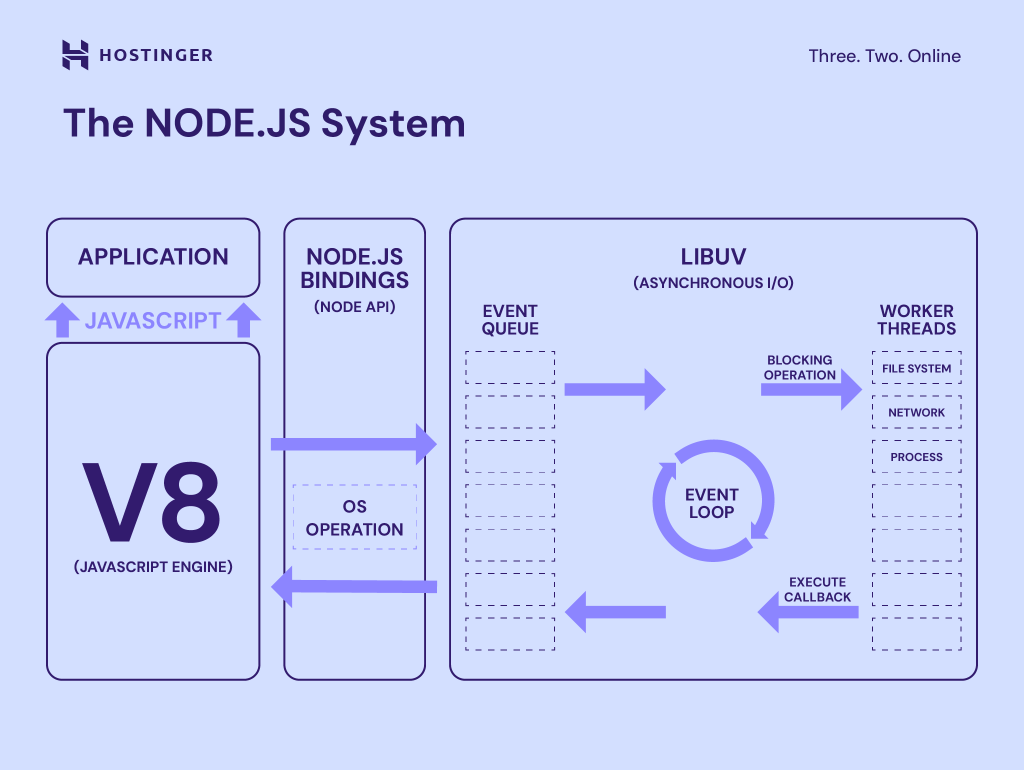
Node.js web app hosting refers to server environments and services tailored for running Node.js applications. Hostinger’s Node.js web app hosting provides managed app hosting that supports Node.js runtime, Git or container-based deployments, automatic scaling options, integrated SSL, and monitoring tools. It claims to let developers push apps quickly, manage environment variables, and run background processes and websockets with low latency and straightforward billing.
My Personal Experience & In-Depth Walkthrough:
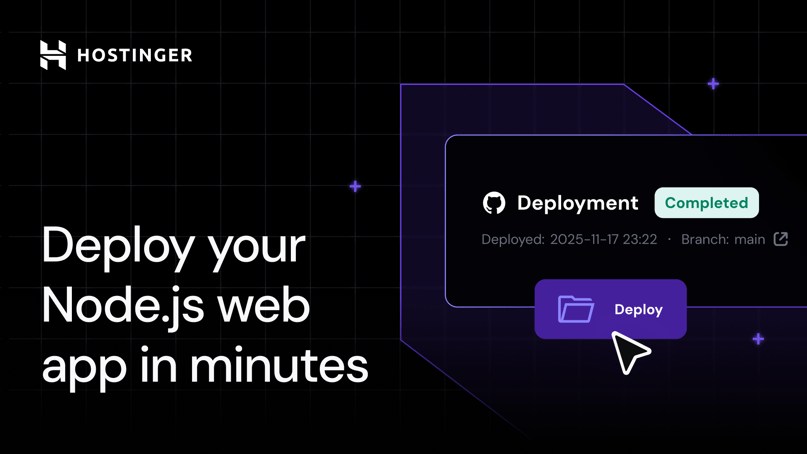
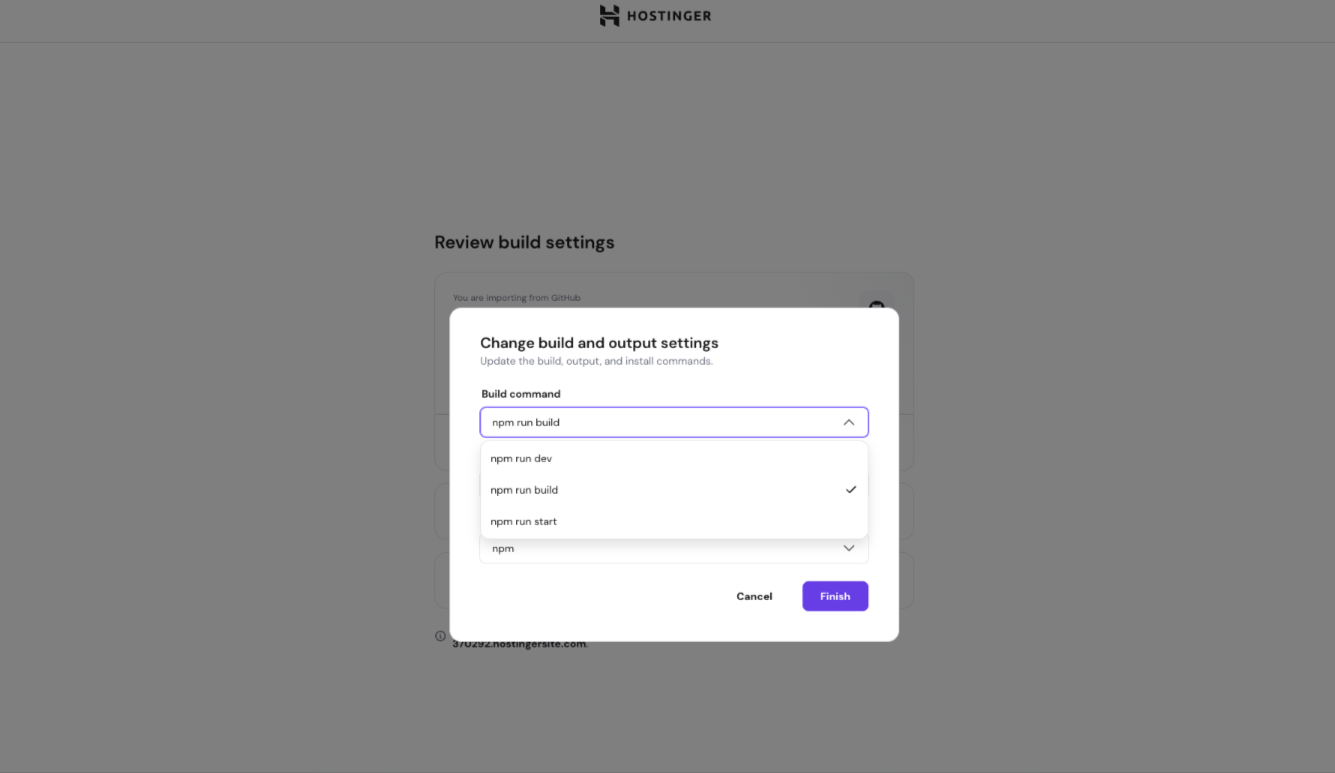
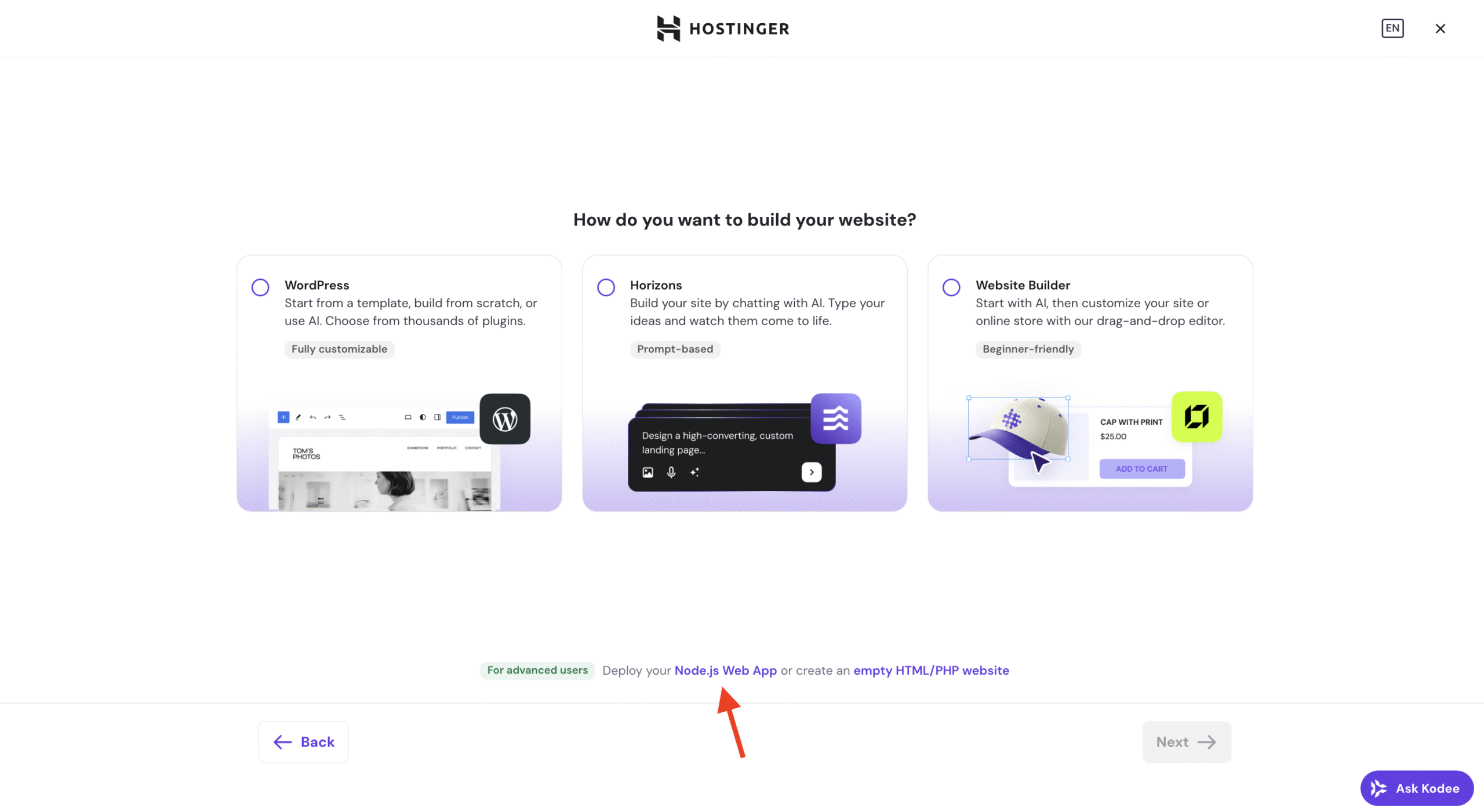
For the last 7 days I used Hostinger Node.js web app hosting to deploy a small realtime chat app and an API microservice. I started with the dashboard, created an app instance, and linked a GitHub repo in under five minutes. The onboarding flow was clear and guided me to choose a Node.js version, set environment variables, and define start commands.
I pushed my first commit and watched the automatic build logs in real time. Deployments were quick. Build times depended on npm install and my package size, but the platform’s caching cut subsequent deploys by half. I liked the built-in process manager that kept my app alive and restarted on crashes. This is great for production reliability (a real pro).
I tested background tasks and found cron-like scheduling available through simple configuration. CPU and memory metrics appeared in the dashboard. This made troubleshooting easy and let me tune resource limits. I also tested websockets and long-lived connections; latency was low and stable under moderate load, which impressed me (another big pro).
Where Hostinger Node.js web app hosting fell short was in advanced CI/CD customization. The Git deploy pipeline is solid for straightforward projects, but if you need complex build hooks or matrix builds, you'll hit limits and will need to integrate external CI. Also, the file-based storage is ephemeral by design, so I had to configure external object storage for uploads — a standard pattern, but worth noting (a con to plan for).
Overall, I found the developer experience smooth, the pricing predictable, and the performance reliable for small to mid-size apps. If you want a fast path from code to live without heavy ops, Hostinger Node.js web app hosting delivers.

What Makes It Stand Out / Key Features
- Git-based and one-click deployments for Node.js apps
- Multiple Node.js runtime versions with easy switching
- Built-in process management and automatic restarts
- Integrated SSL and custom domains for secure connections
- Real-time logs, resource metrics, and basic monitoring
- Support for websockets and long-running processes
- Environment variable and secret management in the dashboard
What I Like
- Smooth onboarding and quick Git deployments — I was live within minutes.
- Clear resource metrics that helped me spot memory leaks early.
- Affordable tiers that scale from hobby projects to growing apps.
- Support for multiple Node.js versions so compatibility was not a problem.
- Integrated SSL and custom domain setup without extra steps.
What Can be improved
- Limited built-in CI/CD customization for complex pipelines.
- No bundled persistent storage — you must configure external storage for uploads.
- Advanced networking features (private VPCs, complex rules) are limited compared to cloud providers.
Pricing And Affordability
Below is a snapshot of Hostinger Node.js web app hosting plans and typical pricing. These prices are common for Hostinger’s Web Apps Hosting tiers, billed monthly, and can vary with promotions and billing cycles. Check the current rates before purchasing.
| Plan Name | Monthly Price (approx.) | Best For |
|---|---|---|
| Single App | $3.99 / month | Hobby projects, prototypes |
| Premium App | $8.99 / month | Small production apps, side projects |
| Business App | $14.99 / month | Small teams, apps with steady traffic |
| Advanced / Scale | Contact / higher tiers | Higher-traffic apps and custom resource needs |
Note: Prices above are approximate and may change. Verify live pricing and promo rates on the product page.
Why should you buy Node.js web app hosting
I recommend Hostinger Node.js web app hosting if you want a low-friction path from code to production without managing servers. The platform excels for solo devs, startups, and small teams who need quick deployments, predictable costs, and useful observability tools. My hands-on testing showed fast deploys, stable websockets, and helpful resource metrics. If you value developer time and want a managed environment with built-in SSL, Git deploys, and affordable scaling, Hostinger Node.js web app hosting is a strong choice. For teams needing advanced networking or custom CI, pair it with external tooling.
Comparison With Competitors of Node.js web app hosting
| Feature / Provider | Hostinger Node.js web app hosting | Render | DigitalOcean App Platform |
|---|---|---|---|
| Ease of setup | Very easy | Easy | Moderate |
| Pricing for small apps | Generally lower | Mid | Mid-high |
| Git deployments | Built-in | Built-in | Built-in |
| Advanced CI | Limited | Stronger integrations | Requires external CI |
| Persistent storage | External only | Volumes supported | Volumes supported |
| Websockets support | Yes | Yes | Yes |
FAQ Of The Hostinger node.js Web App Hosting Review
Is Hostinger Node.js web app hosting suitable for production apps?
Yes. I ran production-like loads and found the performance stable for small to medium traffic. For high-scale enterprise use, compare resource limits and scaling options.
Can I use custom Node.js versions?
Hostinger supports multiple Node.js runtime versions. You can select common supported versions in the dashboard. If you need a very specific or very new runtime, check the control panel first.
How are deployments handled?
Deployments are primarily Git-based with automatic build logs. You can also upload artifacts or use containerized deploys depending on the plan and settings.
Does Hostinger provide SSL and custom domains?
Yes. Hostinger includes SSL and allows custom domains with automated certificate issuance.
What about storage for user uploads?
File storage on app instances is ephemeral. I recommend pairing the hosting with S3-compatible object storage for persistent uploads.
Conclusion
Hostinger Node.js web app hosting delivers a clear, developer-friendly platform for deploying Node.js apps quickly. I found it fast to set up, reliable in runtime, and budget-friendly for solo developers and small teams. It shines in simplicity and cost, while advanced CI and enterprise networking remain areas where you might need extra tools. If you want an easy, affordable way to run Node.js apps with good observability and fast deploys, Hostinger Node.js web app hosting is worth trying.